

For managers
Stop chasing staff hours.
From the first clock-in to the file for your accountant. One place to see the hours, check them and get on with your day.
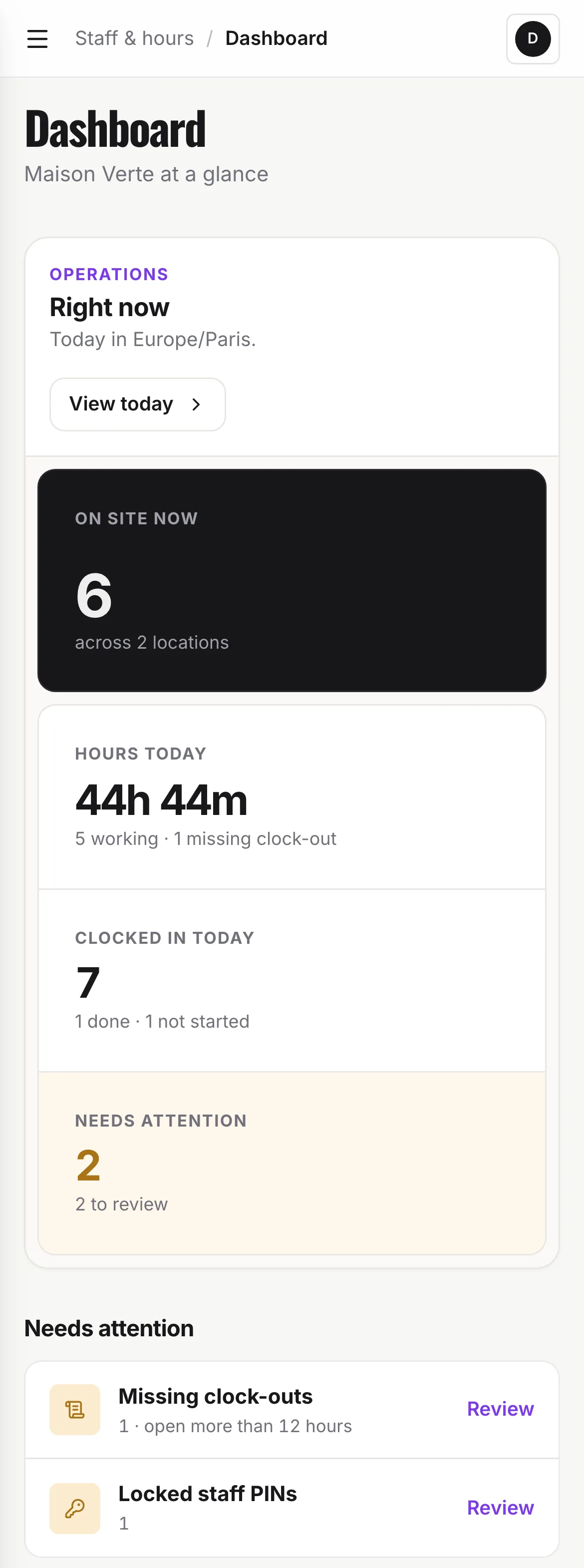
Who’s in, who’s on a break, who’s finished. See it as it happens, without asking the group chat.
Put the week’s shifts in one simple schedule, then compare the plan with the hours actually worked.
Spot a forgotten finish, correct the hours and review the period. The original record stays visible.
Download a detailed CSV and a weekly summary to send to your accountant. No hours to retype.
Who’s in, who’s on a break, who’s finished. See it as it happens, without asking the group chat.
Put the week’s shifts in one simple schedule, then compare the plan with the hours actually worked.
Spot a forgotten finish, correct the hours and review the period. The original record stays visible.
Download a detailed CSV and a weekly summary to send to your accountant. No hours to retype.
Staff & hoursDashboardTodayScheduleTimesheetsPayroll filesStaff PINsQR codesSettings
DWDana WhitfieldDashboard
Maison Verte at a glance
Needs attention
Last 7 days
Includes the last 7 days. Shifts still in progress are counted up to now.
Payroll
By location
| Location | On site | Hours (7d) | Shifts (7d) | Last activity |
|---|---|---|---|---|
| Paris | 2 | 77h 20m | 12 | 30/09/2026 |
| Lyon | 1 | 51h 20m | 8 | 30/09/2026 |
Today
Times shown in Europe/Paris. Shifts open more than 12 hours are marked as a missing clock-out.
Schedule
- Still clocked inRiley ChenPlanned until 06:00 at Paris, ended 3h 41m ago.
- Not in yetSofia MarinPlanned 09:30–17:30 at Paris, due 11m ago.
| Team member | In → Out | Status |
|---|---|---|
| Maya Carter | 08:04 → — | Working |
| Jamie Wilson | 07:56 → — | Working |
| Alex Rivera | 09:02 → — | Working |
| Noah Bennett | 08:30 → 14:45 | Completed |
| Riley Chen | 29/09/2026 22:10 → — | Missing clock-out |
Schedule
Planned shifts at Paris, in Europe/Paris time. Staff clock in as usual: the schedule never stops anyone.
| Team member | Planned | Mon 28 Sept3 planned | Tue 29 Sept4 planned | Wed 30 Sept4 planned | Thu 1 Oct4 planned | Fri 2 Oct3 planned | Sat 3 Oct3 planned | Sun 4 Oct2 planned |
|---|---|---|---|---|---|---|---|---|
| Jamie Wilson | 39h 30m | 08:00–16:30 | 08:00–16:00 | 08:00–16:30 | 08:00–16:30 | 10:00–16:00 | ||
| Maya Carter | 42h 30m | 08:00–16:30 | 08:00–16:30 | 08:00–16:30 | 08:00–16:30 | 10:00–18:30 | ||
| Noah Bennett | 24h 00m | 08:30–14:30 | 08:30–14:30 | 08:30–14:30 | 11:00–17:00 | |||
| Riley Chen | 40h 00m | 14:30–22:00 | 22:00–06:00 +1 | 14:30–22:00 | 14:30–23:00 | 14:30–23:00 | ||
| Sofia Marin | 30h 00m | 09:30–17:30 | 09:30–17:30 | 09:30–17:30 | 10:00–16:00 |
Timesheets
See hours worked between two dates. Each total comes from the recorded clock-in and clock-out times.
Current selection
Review & export| Team member | Shifts | Duration |
|---|---|---|
| Maya Carter | 2 | 15h 47m |
| Jamie Wilson | 2 | 15h 45m |
| Alex Rivera | 2 | 15h 32m |
| Noah Bennett | 2 | 12h 10m |
| Riley Chen | 2 | 7h 20m |
| Total duration | 10 | 66h 34m |
Planned, not clocked (1)
Planned shifts in this period that nobody clocked in for, once their planned end has passed. Nothing here is added to the hours.
- Hana Okafor · 29/09/2026 11:00–15:00 · Lyon
| Team member | Location | Date | In | Out | Planned | Break | Duration | Corrected |
|---|---|---|---|---|---|---|---|---|
| Maya Carter | Paris | 29/09/2026 | 08:00 | 16:32 | 08:00–16:30 | 30 min break | 8h 02m | — |
| Jamie Wilson | Paris | 29/09/2026 | 07:55 | 16:10 | 08:00–16:00out +10m | 30 min break | 7h 45m | — |
| Alex Rivera | Lyon | 29/09/2026 | 09:00 | 17:22 | 09:00–17:00out +22m | 30 min break | 7h 52m | — |
| Noah Bennett | Paris | 29/09/2026 | 08:30 | 14:45 | 08:30–14:30out +15m | 15 min break | 6h 00m | — |
| Riley Chen | Paris | 29/09/2026 | 22:10 | missing | 22:00–06:00in +10m | — | — | — |
| Maya Carter | Paris | 28/09/2026 | 08:05 | 16:20 | 08:00–16:30out −10m | 30 min break | 7h 45m | — |
| Jamie Wilson | Paris | 28/09/2026 | 08:00 | 16:30 | 08:00–16:30 | 30 min break | 8h 00m | — |
| Alex Rivera | Lyon | 28/09/2026 | 09:10 | 17:35 | 09:00–17:30in +10m | 45 min break | 7h 40m | Corrected |
| Noah Bennett | Lyon | 28/09/2026 | 10:00 | 16:25 | Not planned | 15 min break | 6h 10m | — |
| Riley Chen | Paris | 28/09/2026 | 14:30 | 22:00 | 14:30–22:00 | 10 min break | 7h 20m | — |
| Selected range duration | 66h 34m | |||||||
| Team member | Sign-off | |
|---|---|---|
| Maya Carter | Signed 30/09/2026 | Request |
| Jamie Wilson | Signed 30/09/2026 | Request |
| Alex Rivera | Pending | Request |
| Noah Bennett | Disputed | Request |
| Riley Chen | Not requested | Request |
Payroll files
A record of every CSV sent to payroll, including the hours in each file.
| Period | Team member | Location | Shifts | Created by | Action |
|---|---|---|---|---|---|
| 21/09/2026 – 27/09/2026 | All | All | 20 | Dana Whitfield · 28/09/2026 09:41 | Shift listWeekly summary |
| 14/09/2026 – 20/09/2026 | All | All | 22 | Dana Whitfield · 21/09/2026 08:57 | Shift listWeekly summary |
| 07/09/2026 – 13/09/2026 | All | All | 19 | Dana Whitfield · 14/09/2026 09:12 | Shift listWeekly summary |
Staff PINs
Give each person a temporary code to create or reset their PIN. Existing PINs stay private.
| Team member | PIN status | Action |
|---|---|---|
| Alex Rivera | Set | Reset PIN |
| Hana Okafor | None | Create setup code |
| Jamie Wilson | Set | Reset PIN |
| Léo Dupont | Setup code pending | Create setup code |
| Maya Carter | Set | Reset PIN |
| Noah Bennett | Set | Reset PIN |
| Riley Chen | Locked | Reset PIN |
| Sofia Marin | Set | Reset PIN |
Clock-in QR codes
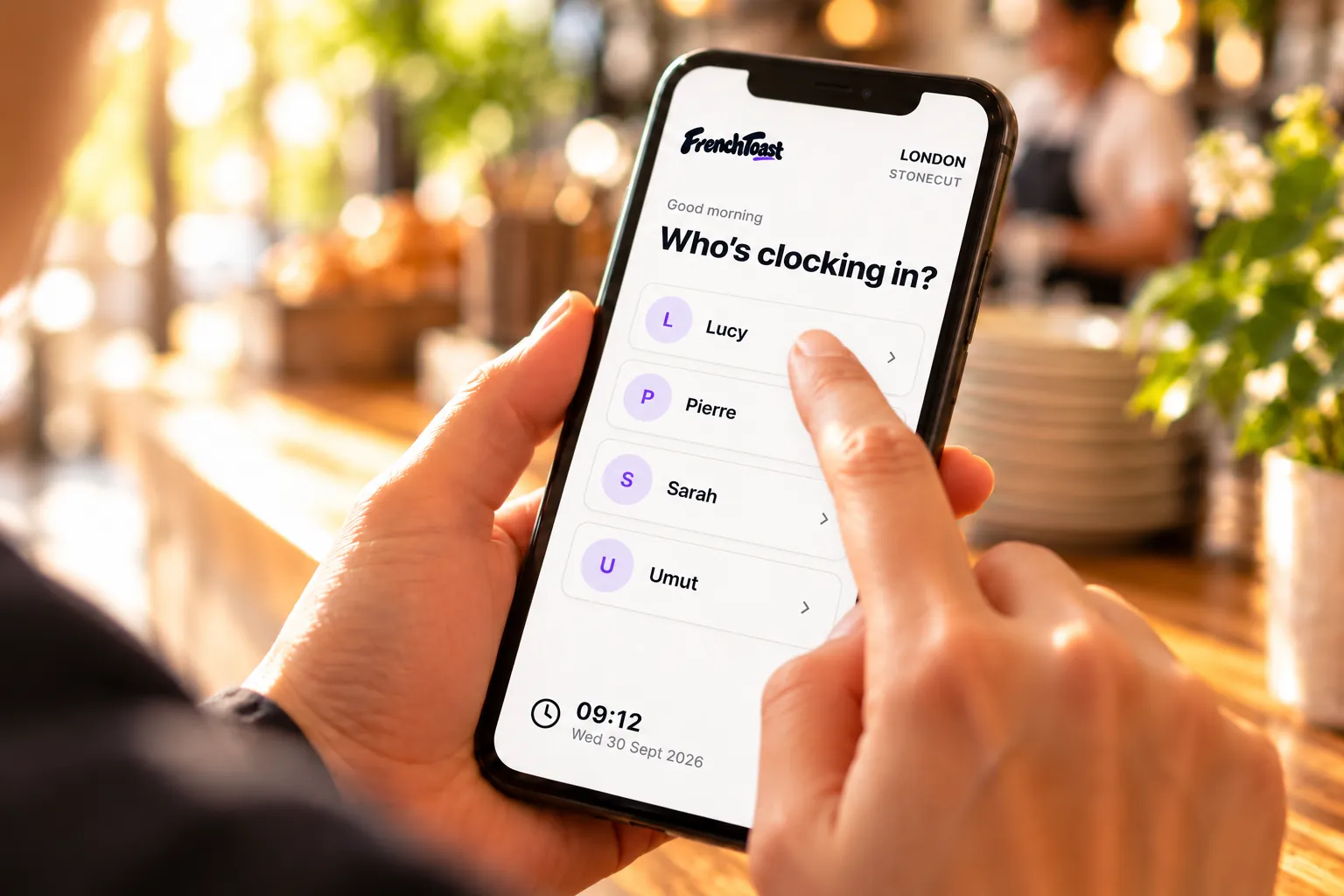
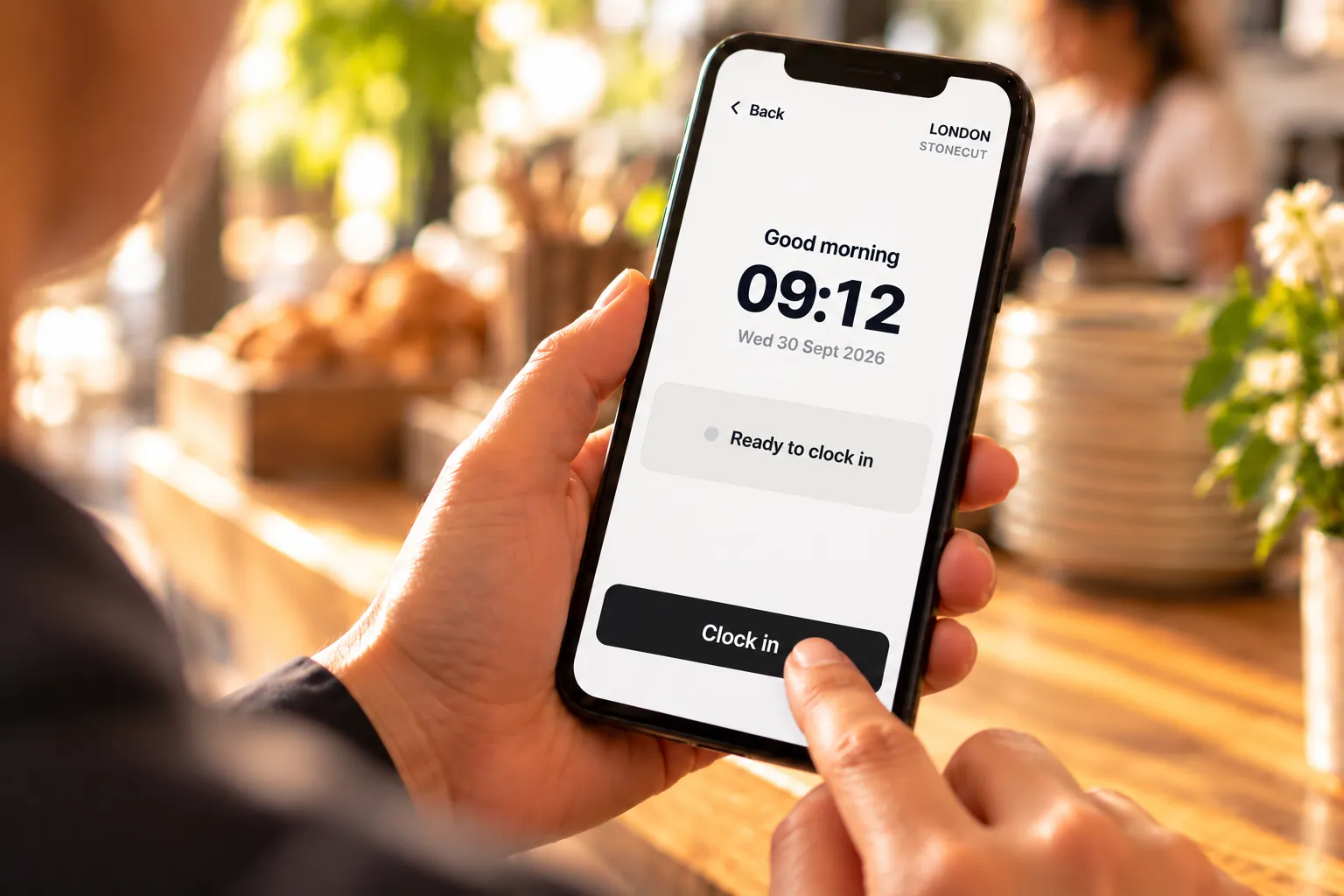
Print one per location and put it where staff clock in. They scan it, pick their name and enter their PIN.
| Location | Staff clock link | QR |
|---|---|---|
| Paris | /l/paris-7k2m · Preview | Open printable sheet |
| Lyon | /l/lyon-3q9x · Preview | Open printable sheet |
Settings
Configure reporting periods and the options staff see when recording hours.
Reporting period
Choose how timesheet reporting windows are calculated.
Break choices at clock-out
Turn on the lengths to offer at sign-out. Turn all off to skip the break question.
- 15 minutes
- 20 minutes
- 30 minutes
- 45 minutes
Staff meals
Ask staff at clock-out whether they took a staff meal, so it can go on timesheets and exports. Off by default.
- Track staff meals